Used live on festival stages in 2026

Put your crowd on the stage screen. Out loud.

Fans scan a QR and type. Their words hit the big screen, read by an AI voice. Tips go straight to you. Nothing to install.

Any LED wall, projector or OBS · Your own video behind it · 0% commission on tips
Step 1 of 4 · Stage screen

Set the stage.

This is what the room sees on the LED wall. It's the real widget, running in your browser. Pick a background and decide if the tip goal shows.

Background
Tips
Step 2 of 4 · Fan page

Now you're in the crowd.

Someone scans the QR on the screen. This opens on their phone, no app. Write what you'd shout at the stage and send it.

No app, no sign-upThe QR opens a web page. Thirty seconds from scan to send.
Tips are optionalFree messages go on screen. From $5 the message gets a voice.
DA
Demo artistLive now · Main stage
0/140
Tips go to the artist's own payment link. Powered by StageVoice.
Any languageFans write in whatever they speak. The voices read it naturally.
Your name, your coloursAvatar, title and accent colour are yours. The QR links to this page.
Step 3 of 4 · Remote

Now you're the moderator.

Your message just landed on the remote, the page your tour manager keeps open on a phone. Nothing goes on screen until someone taps. Put it on screen.

RemoteDemo artist · Main stage
Live

Queue

On screen already↻ say it again

Voice

Tap On screen on your message and we'll take you to the stage.
Step 4 of 4 · Stage screen

Hear it on stage.

The card takes the screen, the voice reads your words, the goal bar moves. This is exactly what happens on the LED wall.

StatusWaiting for your message…
Voice

That's the whole product.

Fan, moderator, screen. Three links, three minutes to set up.
Already on real stages

Built at shows, not in a deck.

One touring artist, a summer of festival dates. Every line on these screens was typed by someone in the crowd.

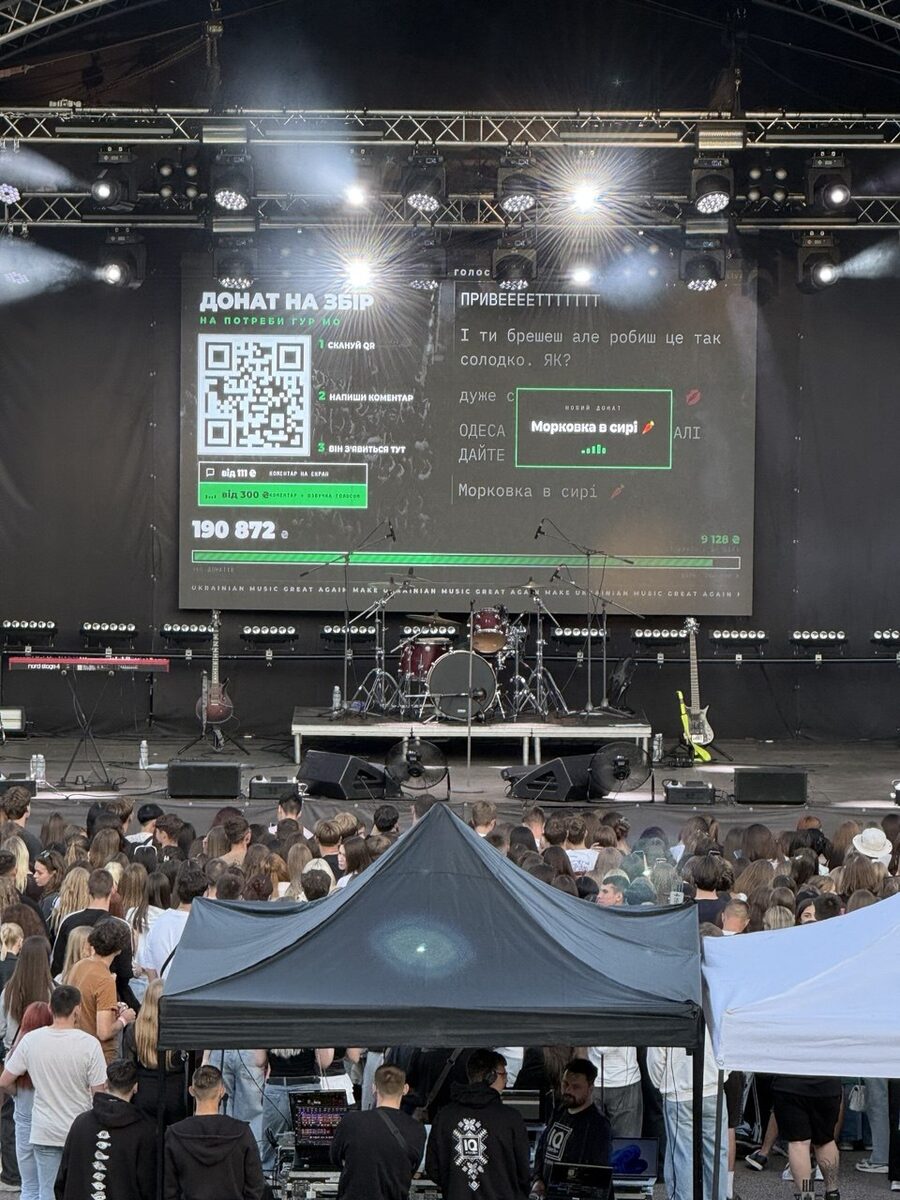
Festival stage LED screen showing live crowd messages, the QR code and the goal bar
Festival main stage, KyivMessages, QR and the goal bar on the centre wall.
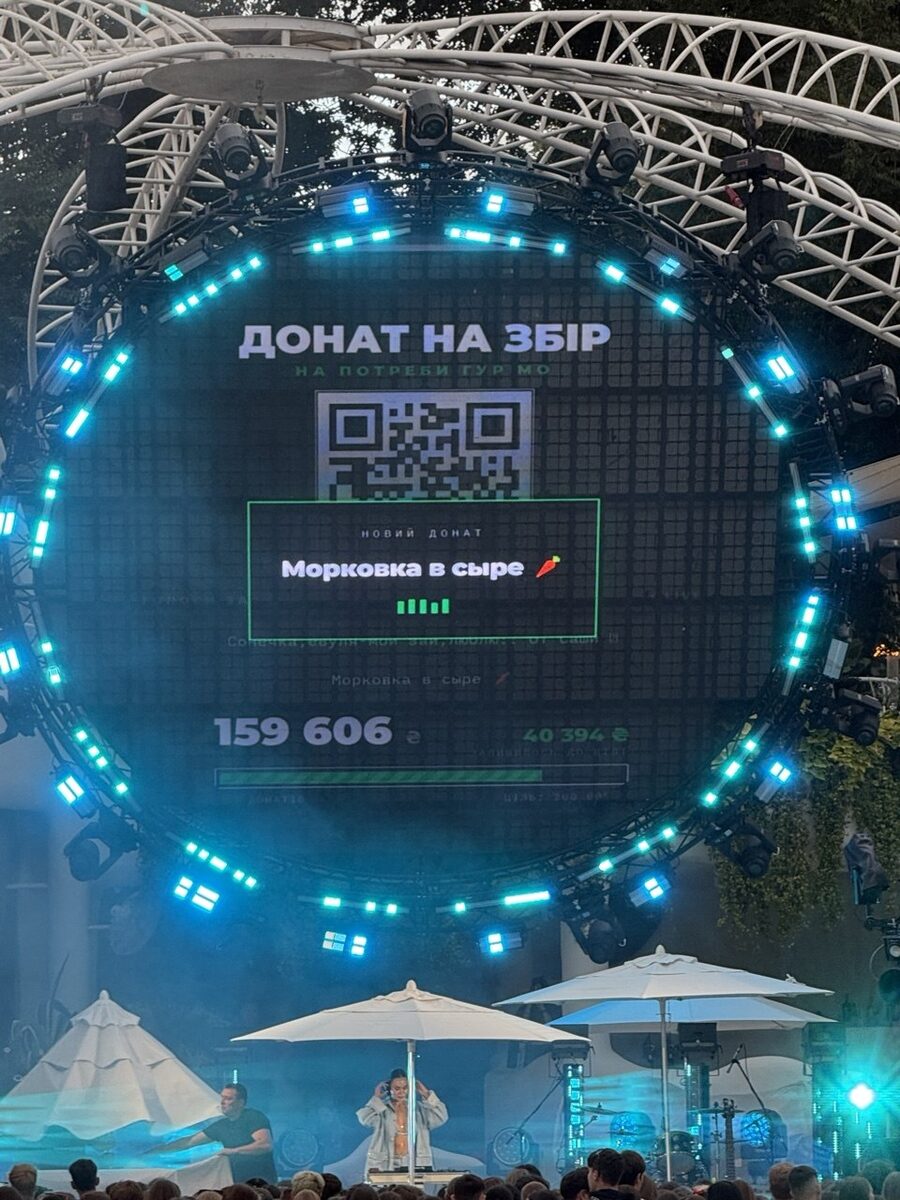
Round LED wall at an open-air show displaying a voiced message card and donation progress
Round LED wall, open-airMessage card mid-voice. The round layout keeps everything inside the circle.
0%commission on tips. They go to your own payment link.
8 voicessix neural voices in English plus Demon and Chipmunk.
~1 MB/hof internet for the screen. A phone hotspot is enough.
Setup

Three minutes before doors.

No install, no cables beyond the HDMI you already have.

Create your event

Name, goal, your tip link, minimum amounts, up to three background videos. You get three links and a QR to print or show.

Open the screen link on stage

On the laptop that feeds your LED wall or projector, any browser, full screen. Or as a browser source in OBS.

Open the remote, hit Start

Approve what goes up, swap voices, replay the best ones. Hand the phone to a friend and go play.

Stage screen

  • Goal bar on or off. Fundraiser? Show the total, the goal and what's left. Just hyping the crowd? Hide it, the messages take the screen.
  • Up to three background videos. Upload your own clips: tour visuals, live footage, logo loops. Switch between them or go black from the remote at any moment.
  • Title, event name, ticker. "Tip & shout", "Donate to the tour", your own slogan running along the bottom.
  • Layouts for any wall. Centre screen, side screens with the QR and the feed only, and a round-LED mode.

Voice & moderation

  • Voice, speed, volume. Change the voice between songs, slow it down for a big room. Tap to hear them:
  • Approve, hide, replay. Nothing goes on screen until you tap. Auto-approve for a trusted crowd. Replay the best line as often as you like.
  • Minimums and currency. Messages free or paid, voice from the amount you choose, in your currency.
  • Your tip link. Stripe, PayPal, Ko-fi, monobank, Venmo, anything with a URL. We never touch the money.
Green dot = also on the remote, so you can flip it from the phone mid-show.
Pricing

Pay per show, or subscribe.

Every plan has all voices, the full remote and unlimited messages.

0%on tips, on every plan. Fans pay you directly through your own link. We only charge for the software.
Show pass
$19one show

One gig. Active for 48 hours from your first start.

  • Fan page + QR, screen, remote
  • All voices and effects
  • Your name, photo, background videos
  • Live goal bar
Get a show pass
ArtistMost popular
$29per month

For artists and DJs who play regularly. Unlimited shows.

  • Everything in Show pass
  • Unlimited events, 3 screens in sync
  • Message history and exports
  • Banned-words filter
  • Email support
Start Artist
Pro
$79per month

For venues, festivals and agencies running many artists.

  • Everything in Artist
  • Unlimited artists and team seats
  • Unlimited screens, OBS overlay
  • Custom fan-page domain
  • Priority support
Start Pro

Prices in USD. Subscriptions renew monthly and can be cancelled anytime from your billing portal. Payments by Creem as merchant of record. Refund policy.

Questions

Do I need to install anything?

No. The screen, the remote and the fan page are web pages. Open the screen link on any laptop plugged into the LED wall or projector, open the remote on your phone, print or show the QR. For streams, add the screen as a browser source in OBS.

Where does the tip money go?

Straight to the payment link you set: Stripe, PayPal, Ko-fi, Buy Me a Coffee, monobank, Venmo, anything with a link. We never hold or touch your money and take no commission. Verified paid messages, where a message is attached to a confirmed payment, work with monobank today and are coming for Stripe.

Can fans post anything they want?

Not unless you let them. By default every message waits on the remote until you tap On screen. You can also turn on auto-approve with a banned-words filter for low-risk crowds.

What languages work?

Fans can write in any language. The multilingual voices read dozens of languages naturally. There are also native Ukrainian voices and effects like Demon and Chipmunk.

How much internet does the screen need?

About a megabyte per hour of show. A phone hotspot is enough. If the connection drops, the screen keeps the last state and catches up when it's back.

Does it work on a round LED wall or an unusual aspect ratio?

Yes. The screen has a round-LED layout with a calibration mode and scales to any resolution or aspect ratio.

Can I cancel?

Anytime, from the billing portal link in your account email. You keep access until the end of the paid period. Show passes are one-time and don't renew.

Your next show is the demo.

Set up takes three minutes. The first message on the screen takes thirty seconds.

Get started